How to Watch Greyhound Racing at Home: A Complete Setup Guide
Best Greyhound Betting Sites – Bet on Greyhounds in 2026
 Available in US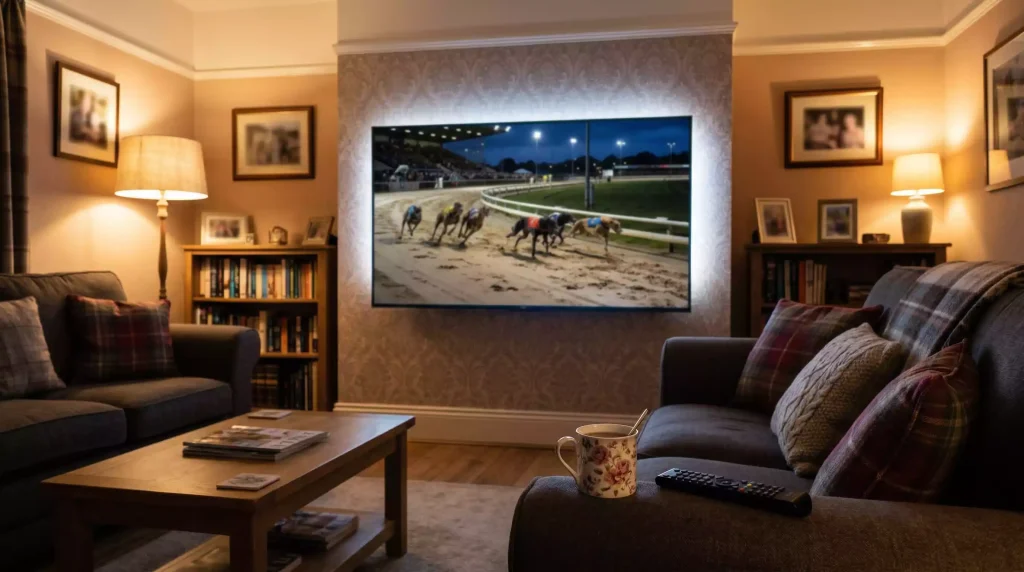
Since January 2024, when Premier Greyhound Racing signed its broadcast deal with Sky Sports Racing, there has never been more greyhound racing available to watch from your sofa. Between dedicated TV channels, bookmaker streams, and free-to-air coverage, there is more live racing available to a home viewer than at any point in the sport’s history. The catch is that getting all of this onto your screen still requires a small amount of setup — and the right combination of kit.
This guide walks you through everything you need to watch greyhound racing at home, whether you are running a smart TV, casting from a phone, or plugging in a Fire Stick. No premium subscriptions are strictly necessary, though they expand your options considerably. By the end, you will know exactly which hardware, software, and broadband speeds to have in place before the traps open.
The goal is not to sell you equipment. It is to make sure you are not buffering through the final bend of a photo finish because your Wi-Fi cannot keep up, or staring at a black screen because your Freeview box does not pick up RPGTV in your postcode. These are fixable problems — and fixing them takes less time than a twelve-race card.
What You Need: Equipment Checklist for Home Viewing
You do not need a home cinema. You need a screen, an internet connection, and usually one additional device or app. But which screen and which app depend on how you plan to watch, so here is a practical breakdown of the main routes and the gear each one requires.
Freeview: The Zero-Cost Option
RPGTV broadcasts greyhound racing on Freeview channel 264. If your television has a built-in Freeview tuner — and most sold in the UK since 2010 do — you already have access. You need a standard rooftop aerial or an indoor antenna with decent reception. No internet connection, no subscription, no account. The trade-off is that RPGTV’s schedule focuses heavily on independent tracks, so you will not find every GBGB meeting here. For pure convenience, though, it is hard to beat something that works the moment you plug it in.
Sky Sports Racing: The Full Package
Sky Sports Racing carries the broadest greyhound coverage in the UK, including all Premier Greyhound Racing fixtures and a dedicated Red Button channel for additional meetings. You need either a Sky Q or Sky Glass box with the Sky Sports add-on, or a Virgin Media package that includes Sky Sports channels. The channel number varies by platform — 415 on Sky, 519 on Virgin — so check your provider’s channel list. If you already have Sky Sports for football or horse racing, greyhound coverage is bundled in at no extra cost.
Bookmaker Streaming via Smart TV or Browser
Services like bet365 and William Hill offer live greyhound streams through their websites and apps. To watch on a TV, you need either a smart TV with a built-in browser, or a streaming device — Fire Stick, Chromecast, Roku, Apple TV — to mirror or cast from a phone or laptop. The requirement is a funded betting account (typically a minimum deposit of £1), and the streams are available only when there is an active meeting. The video quality tends to be functional rather than cinematic, but the coverage is extensive, pulling in BAGS afternoon fixtures and evening meetings from across the country.
RPGTV Online Player
RPGTV also streams live through its website. You need a device with a browser — laptop, tablet, or smart TV — and a broadband connection. No account needed. The quality is standard definition in most cases, but the stream is reliable and covers the same schedule as the Freeview broadcast.
A quick note on sound: greyhound racing commentary is half the experience. If your TV’s built-in speakers leave the commentator sounding like he is calling from a tunnel, a soundbar or a pair of decent external speakers will make a noticeable difference, especially during tightly packed evening cards where races come every fifteen minutes.
Broadband and Data: Minimum Speeds for Smooth Streaming
Streaming a greyhound race is not like streaming a Premier League match in 4K. The video feeds from most platforms — bet365, William Hill TV, SIS — run at standard definition, occasionally stepping up to 720p. That means the bandwidth demands are modest, but they are not zero, and a shaky connection will punish you at exactly the wrong moment.
For a single stream, aim for a minimum of 3 Mbps download speed. That covers standard-definition video with enough headroom for the occasional buffer. If you want to run a smoother 720p stream, or if other people in the household are using the internet simultaneously, 8-10 Mbps is a safer floor. Most UK broadband packages sit well above this, but if you are on an older ADSL connection or relying on mobile data tethering, test your speed before race night. BT, Sky, and Virgin all offer free speed-check tools on their websites.
Wi-Fi versus ethernet matters more than raw speed in many homes. A smart TV hardwired to the router via an ethernet cable will hold a more stable connection than one relying on Wi-Fi two rooms away. If running a cable is impractical, a pair of powerline adapters — which send internet through your home’s electrical wiring — costs around £25-35 and solves the problem without drilling holes.
Mobile data is a viable fallback. A 4G connection typically provides 15-30 Mbps, which is plenty. A single evening card of twelve races, assuming you watch every one, will use roughly 1-1.5 GB of data at standard definition. On 5G, data usage climbs because the stream may auto-switch to higher quality. Keep an eye on your allowance if you are not on an unlimited plan.
Setting Up Greyhound Racing on Smart TV, Fire Stick, and Chromecast
The setup process depends on your device, but the principles are the same everywhere: install the app, sign in, navigate to greyhounds, and hit play. Here is how it works on the three most common home-viewing setups.
Smart TV with Built-In Apps
Samsung, LG, and Sony smart TVs all support the Sky Sports Racing app if you have a NOW TV or Sky subscription. Search your TV’s app store for “Sky Sports” or “NOW,” download it, log in, and find the Racing section. For bet365 streaming, you will need to use the TV’s built-in web browser and navigate to the bet365 website directly — there is no dedicated bet365 app for most smart TV platforms. The experience through a browser is workable, though the interface is clearly designed for smaller screens. RPGTV can be accessed the same way, via rpgtv.com, and requires no login at all.
Amazon Fire Stick and Fire TV
The Fire Stick is arguably the easiest route to greyhound racing on a non-smart TV. Plug it into an HDMI port, connect to Wi-Fi, and download the Sky Sports Racing app from the Amazon Appstore. The bet365 app is not available on Fire TV, but you can sideload the Silk browser and access bet365’s streams through the website. Alternatively, use the Fire Stick’s screen-mirroring feature to cast from your phone: open the bet365 app on your mobile, start the stream, then mirror your screen to the TV. There is usually a one- to two-second delay when mirroring, which is irrelevant for viewing but worth noting if you are watching alongside a live betting market.
Chromecast and Apple TV
Google Chromecast works differently — you cast content from your phone or laptop to the TV rather than running apps on the device itself. Open the greyhound stream on your phone’s browser or a bookmaker app, tap the Cast icon, and select your Chromecast. Apple TV users can do the same through AirPlay, or download the NOW or Sky Sports app directly from the tvOS App Store. Sky Sports Racing’s coverage reaches approximately 14 million households across Sky and Virgin platforms, and the Chromecast or Apple TV route effectively extends that reach to anyone with a compatible subscription and a Wi-Fi connection.
Whichever device you use, one practical tip: set your TV’s picture mode to “Standard” or “Cinema” rather than “Vivid” or “Dynamic.” Greyhound streams are not mastered in HDR, and overly aggressive processing can make the picture look washed out or introduce motion artefacts on the bends. A calmer picture mode lets you see the dogs more clearly, which is — after all — the whole point of watching at home.
Your Living Room, Race-Ready
Watching greyhound racing at home does not demand expensive equipment or technical expertise. A Freeview aerial gives you RPGTV for free. A Fire Stick or Chromecast opens up Sky Sports Racing and bookmaker streams for the price of a plug-in device and, in some cases, a small deposit. Decent broadband — or even a reliable 4G connection — handles the rest.
The only real decision is how much coverage you want. Casual viewers who catch a Saturday evening card once a month will find Freeview perfectly adequate. Those who want to follow afternoon BAGS fixtures, Premier Greyhound Racing events, and the full daily schedule will benefit from a Sky Sports setup or a bookmaker streaming account. Either way, the traps open whether you are ready or not — so get your living room sorted, and you will never have to miss a race because you could not find the right channel.
The full picture is in our guide to watching greyhound racing.
On the move it is an app job: best greyhound apps.
